
See how things are going — for you and for your student
Two reports that build themselves: how much you have earned and how each student is doing. You don't need to fill anything in separately — the numbers come from what you already do.
Lessons and income
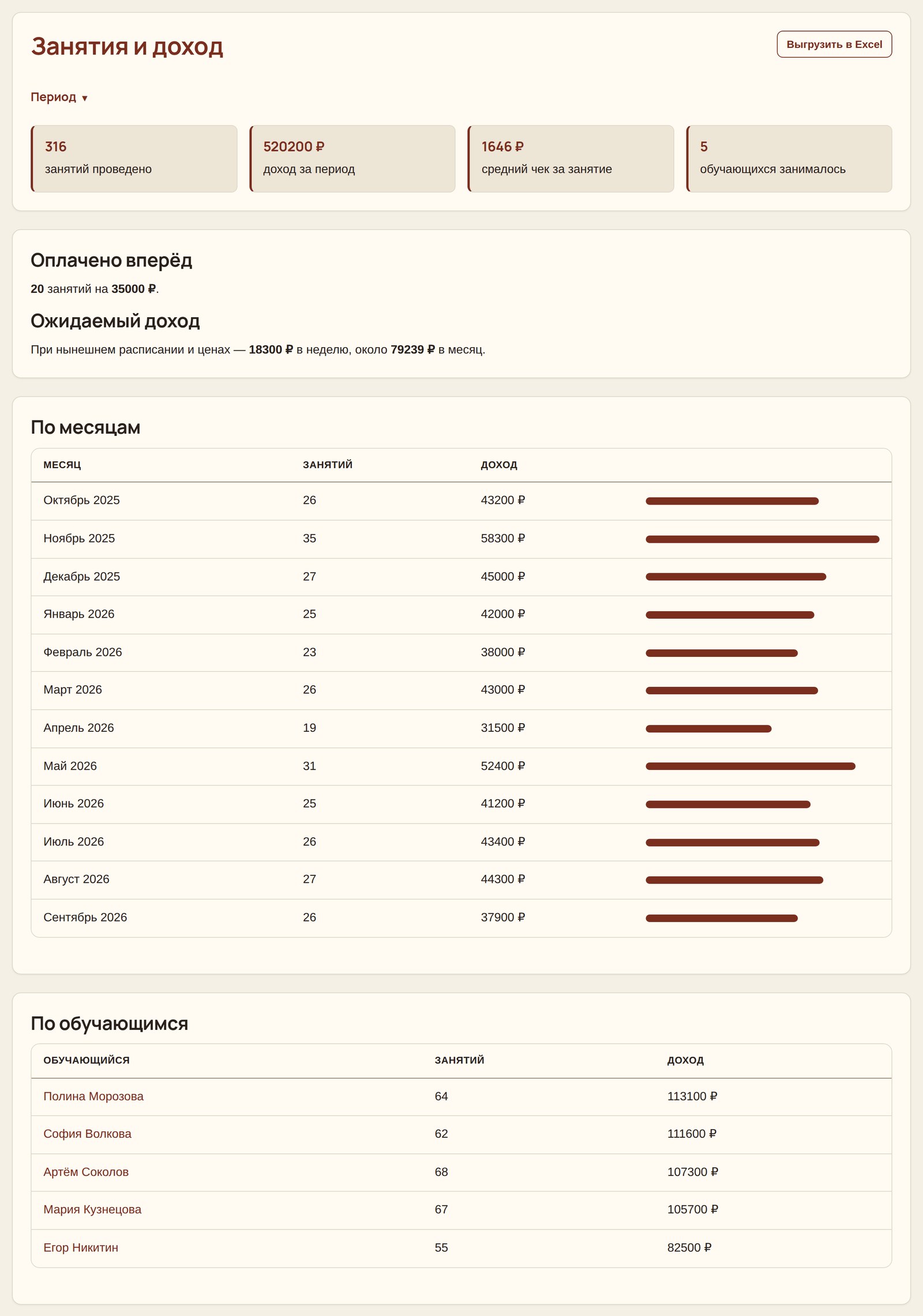
You mark a lesson as done, and the platform records the date, the student and the amount based on the price in their card. Everything else is calculated from that.
- Income for a period. Any range: a month, a quarter, year to date.
- By month. A table with bars — you immediately see whether it is growing or dropping.
- Average price per lesson. It drops when there are many low-priced lessons — the first thing to check if income does not grow along with your workload.
- Prepaid. On a separate line: this is not yet earnings but an obligation. The lessons have not taken place, and if the student quits, the money will have to be returned.
- Expected monthly income with your current schedule and prices.
- By student. Who brings in most of the income and who studies rarely.
- Excel export — for a bank, the tax office or just for yourself.
Made a mistake and marked a lesson that didn't happen? Undoing it returns the lesson to the paid count and removes the amount from income in one step.
Student progress
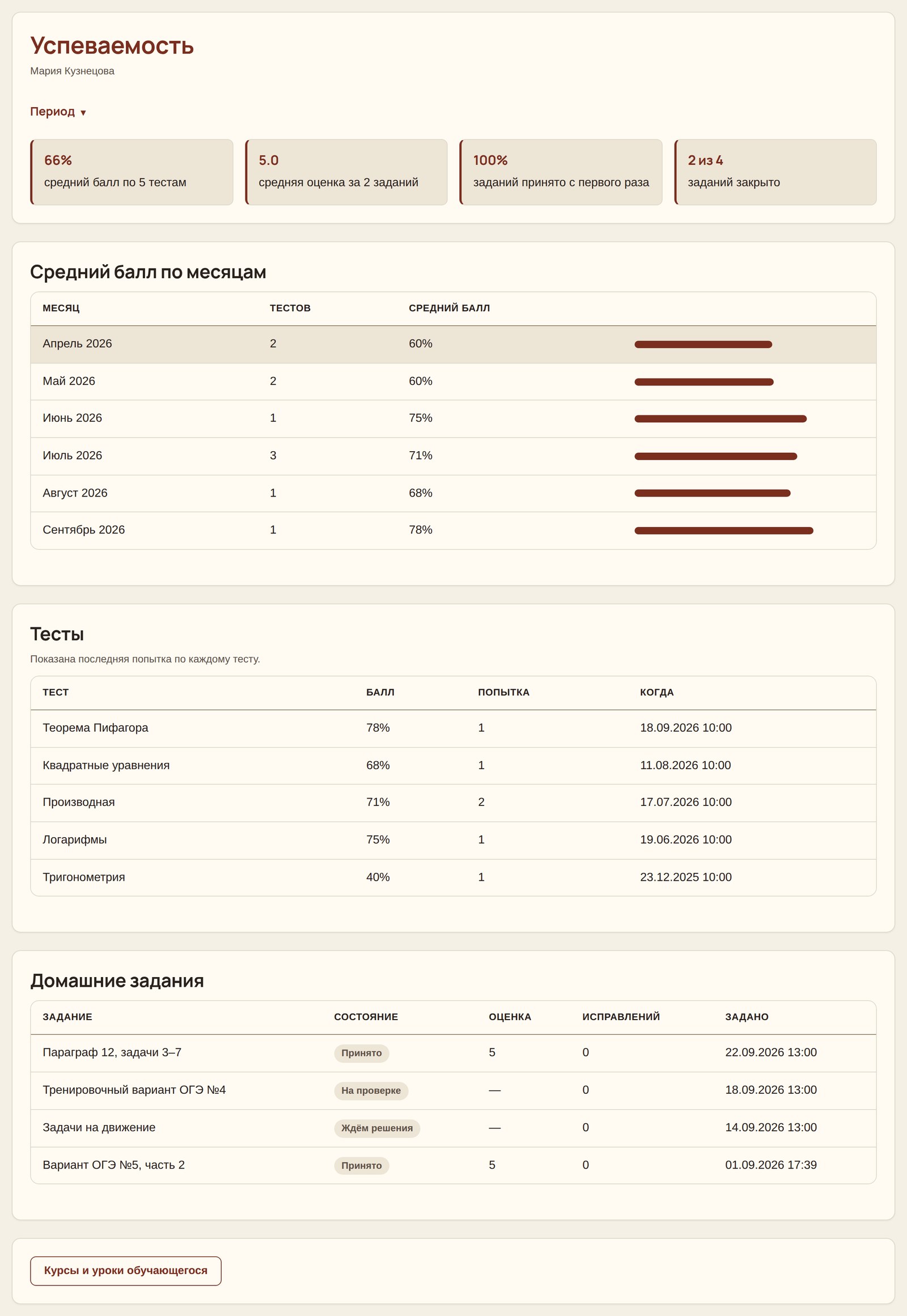
Grades in a notebook show individual lessons. Here you see the movement: better or worse, and by how much.
- Average test score — based on the latest attempts. Retaking a test ten times won't inflate the average: what counts is how the student finished.
- Month-by-month trends. Here it's the opposite — all attempts count: what matters is what the student showed at the time.
- Average homework grade on a 3, 4, 5 and 5+ scale.
- Share of assignments accepted on the first try. This often says more than the grade: not what the final result was, but how many times the work had to be sent back.
- All tests and assignments in a list — with dates, scores and the number of revisions.
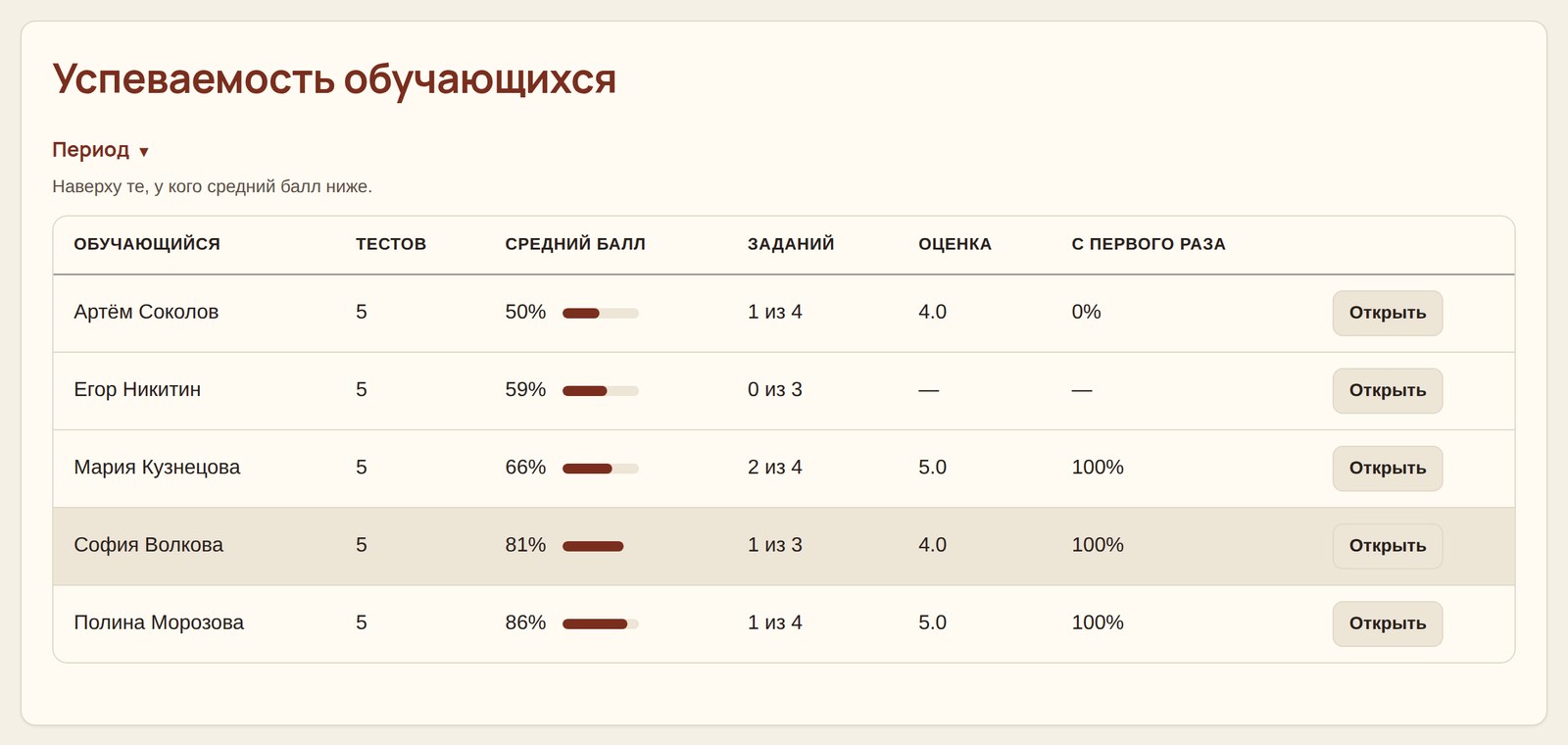
There is also an overall summary for all students at once. At the top is the one with the lowest average score — the one to approach first, without opening everyone's report one by one.
The student sees the same thing
Their own report is open to them too: average score, completed tests, graded assignments, month-by-month trends. This works better than persuasion — when a decline is visible on a chart, there is nothing to explain.
Frequently asked questions
Does the platform accept payment for lessons?
No. Payments go directly between the tutor and the student, with no commission. The platform only keeps records: how many lessons were held, for what amount and how much was prepaid.
What counts as income — the payment or the lesson?
The lesson. Money received in advance is shown on a separate line: the work has not been done yet, so it is too early to count it as earnings.
What if the student pays right after the lesson?
That works too. Mark the lesson, the platform will ask for confirmation and record it both as income and in the payment history.
Can I view last year's report?
Yes, you can pick any date range. Lesson records are not deleted.