
Homework without the chat mess
Assignment, solution and review on one page. No need to scroll through a messenger looking for which photo belonged to which assignment.
How it works
-
The tutor assigns
Writes what is assigned and attaches a file — a PDF, a document or a photo. The student gets a notification with a direct link to the assignment.
-
The student sends a solution
Takes a photo of the notebook or attaches a file. A note can be added next to it: problem three didn't work out, stuck on step two.
-
The tutor reviews
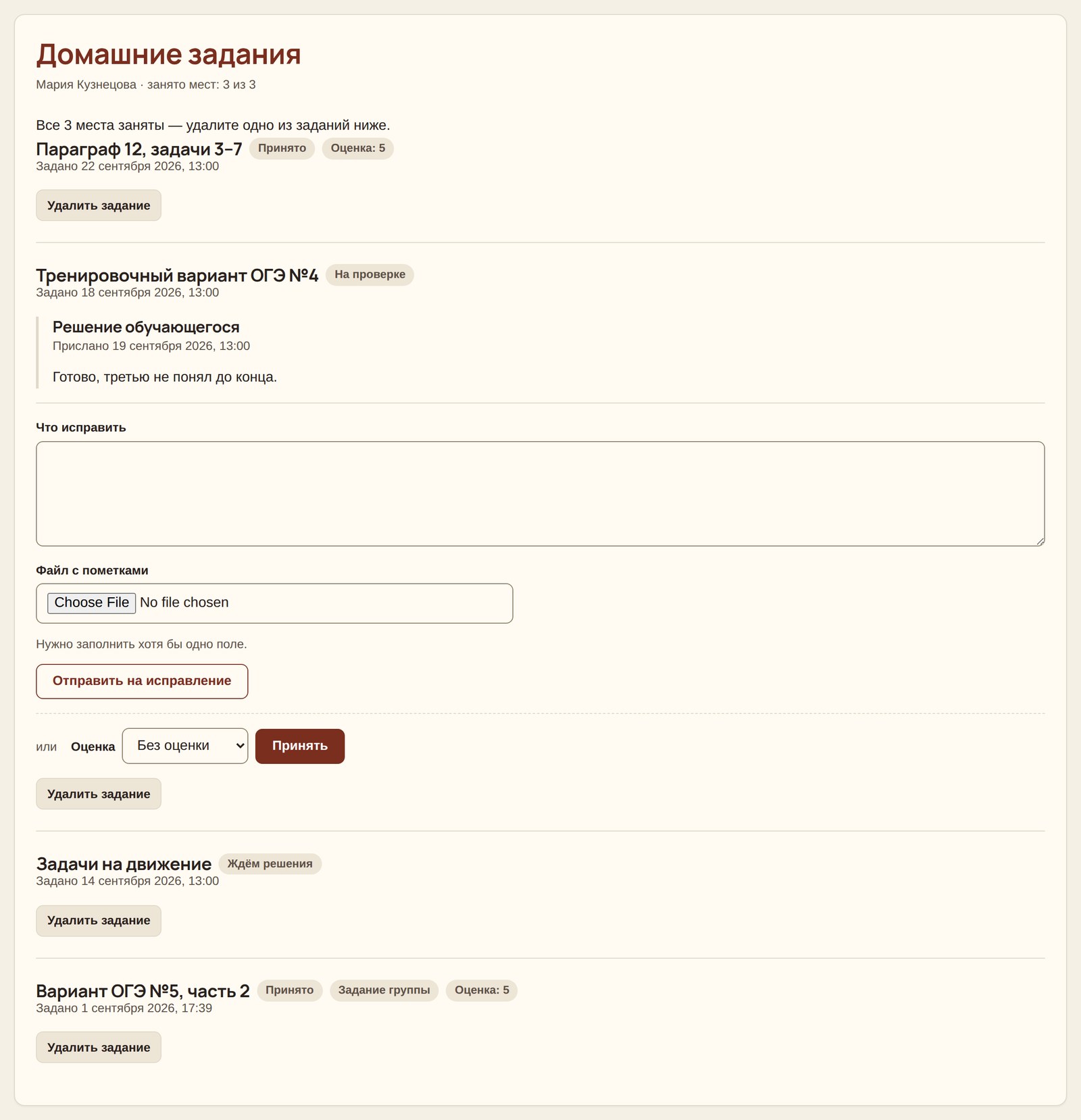
Accepts it with a grade — 3, 4, 5 or 5+ — or returns it for revision. A file with markups can be attached to the comments: where the mistake is and what to fix.
-
The cycle repeats as long as needed
The student sends a corrected version and the tutor looks again. The number of revisions is saved and later shown in the report.
What matters
- Three assignments at a time. Not a pile of forty — as many as a person can realistically keep in mind. Closed ones remain until the space is needed.
- One assignment — one solution and one review. When a new solution is sent, the previous one is removed along with the comments on it: those comments referred to a file that no longer exists.
- No silent returns. “Fix this” without a word about what is wrong achieves nothing — the platform will ask you to write a comment or attach markups.
- One assignment for the whole group. It is given to everyone at once, but each student has their own solution and grade and sees only their own.
- Files are not duplicated. The same assignment for ten students doesn't take up ten times the space.
- Notifications throughout — assigned, submitted, reviewed. On the site and by email; each can be turned off.
Why it matters
Homework in a messenger works only until your third student. After that it starts: whose photo is this, was it a revision or a first attempt, how many times did the person redo the same thing.
Here the answer to the last question is calculated automatically. The progress report shows the average grade and the share of assignments accepted on the first try — and that often says more about a person than the grade itself.
Frequently asked questions
What files can be attached?
PDF, DOC, DOCX, JPG and PNG — so both a document and a photo of a notebook.
How many assignments can I give one student?
Three at a time. When there's no room left, delete an accepted or the oldest one — the grade history remains in the report.
Is a grade required?
No, you can simply accept the assignment. But with a grade, an average score is calculated, which is handy.
Do students see each other's work?
No. Even in a group, everyone sees only their own assignment and their own solution.